Part of The Enoch Files
Enoch File: For the Other 90 Percent
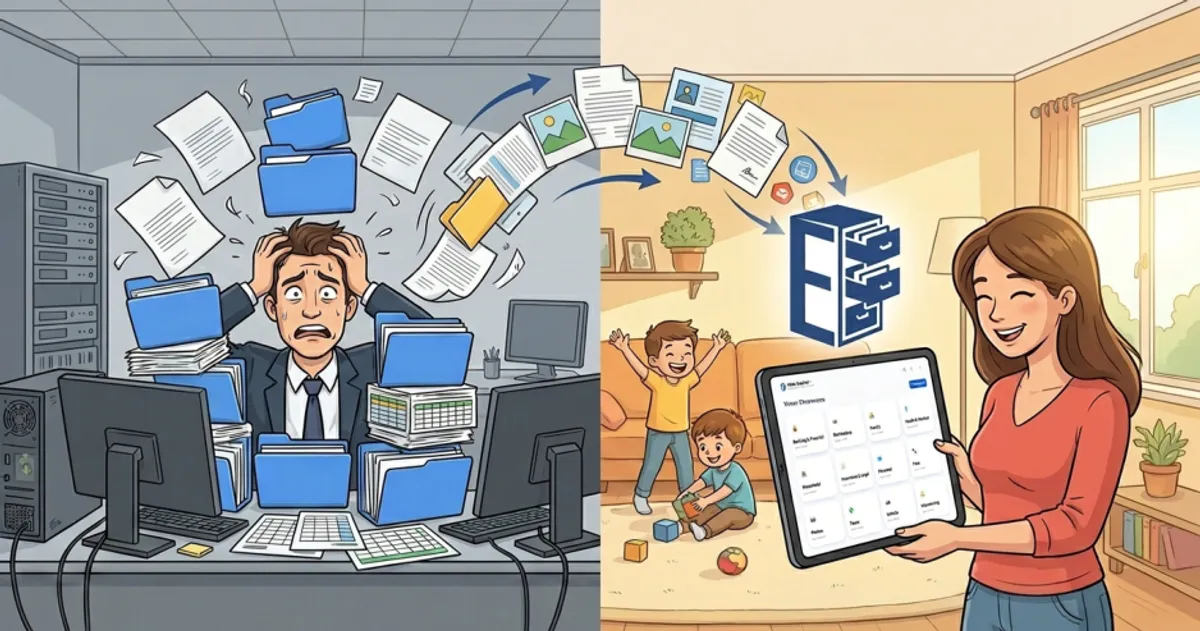
My oldest daughter loves Enoch File and uses it regularly. My youngest daughter told me she didn’t need Enoch File because she already knows how to use Google Drive and can create and share docs and sheets.
I’m sure she thinks that’s a valid point, but it’s short-sighted. According to industry usage data, Google Docs accounts for nearly 59 percent of active time spent in Google’s ecosystem. The Drive file management interface itself? Just over 6 percent. 1
Lots of Gmail users—including my daughter—create docs and sheets, but they’re spending their time inside those documents, not using Drive as a cloud-based system to store, search for, and retrieve their important files, documents, and other data. Google Drive, for most people, is where documents get made. It’s not where documents get organized.
Enoch File leverages the benefits of Google Drive while making it easier and more intuitive to use. Our customizable visual interface is a big difference from endless lists of folders and files. We also have more robust search capabilities, which makes working with hundreds or thousands of files easier.
Why did we feel creating Enoch File to make Google Drive easier to use was necessary? Because many non-technical people outside of large corporations and academic institution—where Google Drive is part of their daily stack—don’t like Google Drive. They find it complex, annoying, and difficult to use.
If that describes you, or if you are looking for a Google Drive alternative, then Enoch File is for you. If you are a Google Drive power user, then we’ll be the first to tell you, it may not be.
Organized versus Chaotic
Enoch File also forces a degree of organization on the user and prevents them from nesting folders eight or ten levels deep, which we like to call going down the subdirectory rabbit hole. I talked in an earlier post about importing folders with 5,000 documents and the benefits of breaking those up. That same thing can happen if you just stuff documents into Google Drive with little or no thought to how you arrange them.
Back when everyone had a physical file cabinet in their office, no one just stuffed page after page or document after document in there. You had different drawers for different topics or projects and used manila folders and hanging folders to break your data up by topic. Enoch File forces you to go back to that same Cabinet > Drawer > Folder > File structure that worked for decades. We kept the best part of those old bulky file cabinets and put it in the cloud instead of your home office.
Just like you could search a drawer or a folder when you needed a document, in Enoch File you can search a folder, a drawer, a cabinet, the archive, by tag, or search every file in Enoch File.
Then we made that old file cabinet better by adding new functionality, like the ability to email files to or from your file cabinet from any computer or phone anywhere you can get a signal. And instead of boxing up old files and storing them in your basement, attic or—if you have a corporate job—some off-site storage facility, you can archive outdated folders or drawers with the click of a button. And get them back just as quickly.
Think of us like… the kitchen drawer organizer that keeps your silverware separated. We make a perfectly good product better and help keep things organized.
Simplicity Wins
You can create as many cabinets, drawers and folders and hold as many files or documents as you want in Enoch File. In Google Drive, you can have as many projects, folders, subfolders, and documents as you want. The only limit is how much free space you have in your Google account.
But Google Drive doesn’t use icons. Its menus are more complicated, and not very intuitive. Take someone who uses a computer but has never used Google Drive or Enoch File, and chances are, they will be up and running on Enoch File faster than they will on Google Drive. Why? Because it’s obvious what the little moving truck does, but moving a document to a different folder in Google Drive will leave them scratching their head. If you’ve never moved a file in Google Drive, try to do so now. How long did it take you to figure it out?
I’m not knocking Google Drive. Heck, without it and the Google infrastructure, we wouldn’t be here. Google Drive is what keeps us from having to run our own servers. It’s what gives you ownership of your own files, so Enoch File or Enoch Worx can never block access to your data or hold it hostage if you don’t renew your subscription. Google also makes logging in to Enoch File easy and secure, and their cloud helps us serve up your documents quickly and securely.
At Enoch File, we love Google, but we also know Google Drive is made for people who spend most of their day on the computer. Not everyone does, and an industry that chases large corporate accounts often overlooks that.
Built for the Keeper of the Data
That’s why we’re built for people, not IT departments. Enoch File is intended for the person in your family who is the keeper of the data, the bill payer, the tax prep person, the one who keeps the important paperwork and deals with all the bits of physical and digital paperwork that arrive in your mailbox, are recovered from the kids’ book bags, or is found in the portal of a doctor’s office.
Maybe that’s you. Maybe it’s your partner or spouse, or it could be both of you. Either way, if you’re among the majority of Gmail users who don’t use Google Drive as a filing cabinet, you’re at the right place. Put away your shoebox of receipts. Clean off the pile on your desk. Avoid what we call the “email graveyard,” and store your stuff in Enoch File for free (up to 200 documents). Use it as long as you want without paying us a dime. And when you’re ready to access our premium features, we’ll be here, and the transition to premium will be seamless.
What have you got to lose?
Footnotes
-
“Google Drive Statistics 2026: Secrets Behind Its Growth,” SQ Magazine, Published October 16, 2025, https://sqmagazine.co.uk/google-drive-statistics/. ↩