Part of The Enoch Files
How to Manage Medical Records from Multiple Doctors and Different Patient Portals
About two months ago, I was lifting a heavy box over my head and sliding it onto a shelf when I felt a sharp, wrenching pain in my shoulder. It hurt so much that I almost dropped the box.
I knew right away that this was serious. It wasn’t the type of pain you can shake off or work through. Within two hours, I was at home in my easy chair, taking ibuprofen and icing my shoulder. I was in pain from my neck down to my waist. The next day, I couldn’t lift my arm to comb my hair or brush my teeth. It hurt to push a door open. Over the next ten days, I learned to do everything left-handed.
I saw my primary care physician, who thought it was a torn rotator cuff and referred me to an orthopedic surgeon specializing in shoulders. There, I got X-rays and later had an MRI of my shoulder. He referred me to an otolaryngologist who specializes in neck surgery for a possible torn muscle in my neck. That doctor performed an ultrasound in his office and ordered another scan.
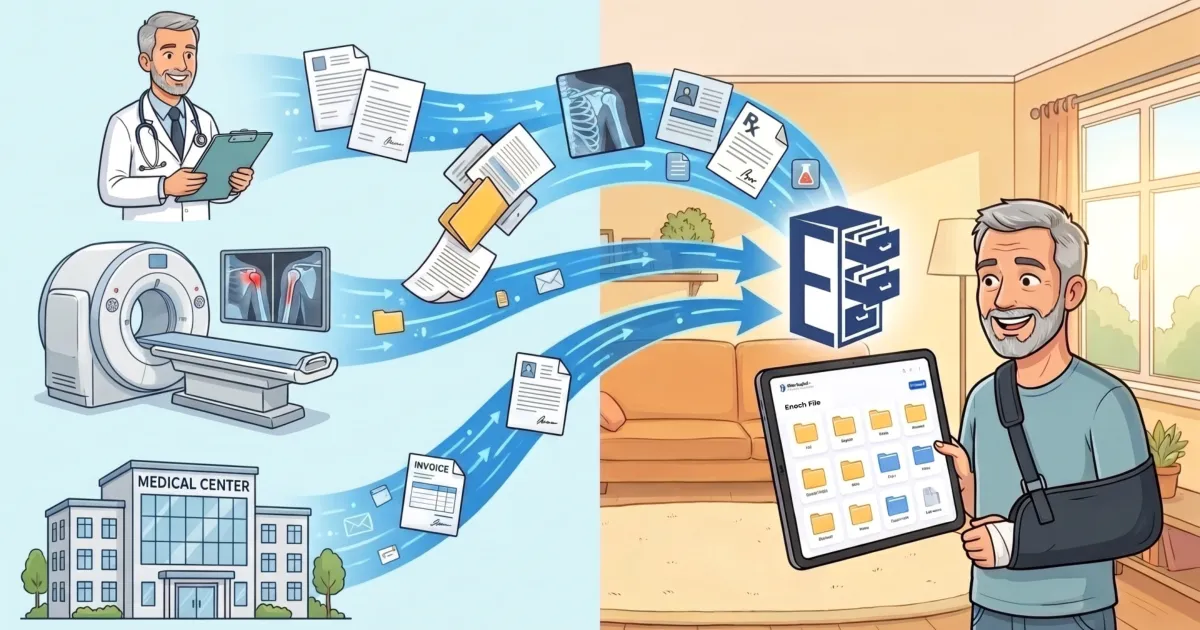
Over the course of a month, I ended up seeing four doctors in three different medical practices and got diagnostic scans done in three different locations. Each practice had its own portal, and I had to log into them individually to access my records and read the doctor’s notes. Of course, each portal had its own URL and password. It was a hassle. I felt like I had medical data floating all over the cloud when I really needed it in one place—my personal cloud storage where I could name it, tag it, and store it until I needed it. Happily, that’s what Enoch File is for.
I created a single repository for all my shoulder-related medical paperwork in a drawer called Shoulder Injury - May 2026. Then I downloaded the doctors’ notes from their portals, saved each of them as a PDF, and uploaded them into a Doctor’s Notes folder inside that drawer. I also imported the radiologists’ reports and uploaded the scans into Enoch File, storing all the MRI files and the X-rays in a Scans folder in that same drawer.
I had so many medical offices calling me over the course of this episode that I had to change my habit of not answering the phone if I didn’t recognize the number. But it didn’t end there. I started getting constant reminder texts and then follow-up survey requests. What a hassle!
While Enoch File can’t handle an SMS message, it’s easy to forward an email with an attachment to Enoch File. So when they sent me paperwork to read about a contrast agent or how to prep for a scan, I read it and then forwarded it to my personal Enoch File address, knowing the document will be waiting for me to file the next time I open the app.
While most Enoch File users store PDFs and jpegs, you can store other files in Enoch File. Videos, audio files, and even proprietary file types can be uploaded and preserved in Enoch File. For example, I picked up copies of my first MRI on a DVD and copied it into Enoch File. I don’t have the software to view the MRI, but if a different doctor needs it, I can share the file with them using Enoch’s built-in share function, which is represented by the telescope icon. That’s incredibly useful if you want to get a second opinion.
Over the course of my medical journey, I received only two physical pieces of paper: one was a letter from my insurance company approving the MRI. The other was a map of where to park and which entrance to use at a medical imaging center. I scanned them both and uploaded them to Enoch File. Everything else was digital, meaning it was easy to add to Enoch File. I could save it, drag it, or email it to Enoch File. Then I knew right where it was; no need to search through a month’s worth of email hoping to find the document I needed.
Two Months Later
My shoulder has recovered, helped along by a cortisone shot, but the paperwork keeps coming in. I’ve lost count of how many explanations of benefits the insurance company has sent me, and then there are the bills. It’s like a blizzard of emails. But instead of ending up spread across my computer, phone, or tablet—depending on where I was when the email arrived—it all goes into Enoch File.
Between Enoch File and my doctors, I’m in good shape. It turns out I didn’t rupture a tendon, just some muscle damage that has healed. In the meantime, I’m more careful about lifting heavy weights above my head. On the document end of things, I am happy to let Enoch File do all my heavy lifting.
How to Safely and Securely Organize and Store Your Medical Records
Jackie Evans has some good information on how she set up and managed her medical records in the video below. It’s less than four minutes long and describes how she set up a dedicated medical records cabinet in Enoch File for her family. She uses it to track everything from vaccinations to keeping the records she needs when the kids change schools or join a youth sports league.