Part of The Enoch Files
Tackling the Paperwork Tiger: How to Get Organized with Enoch File
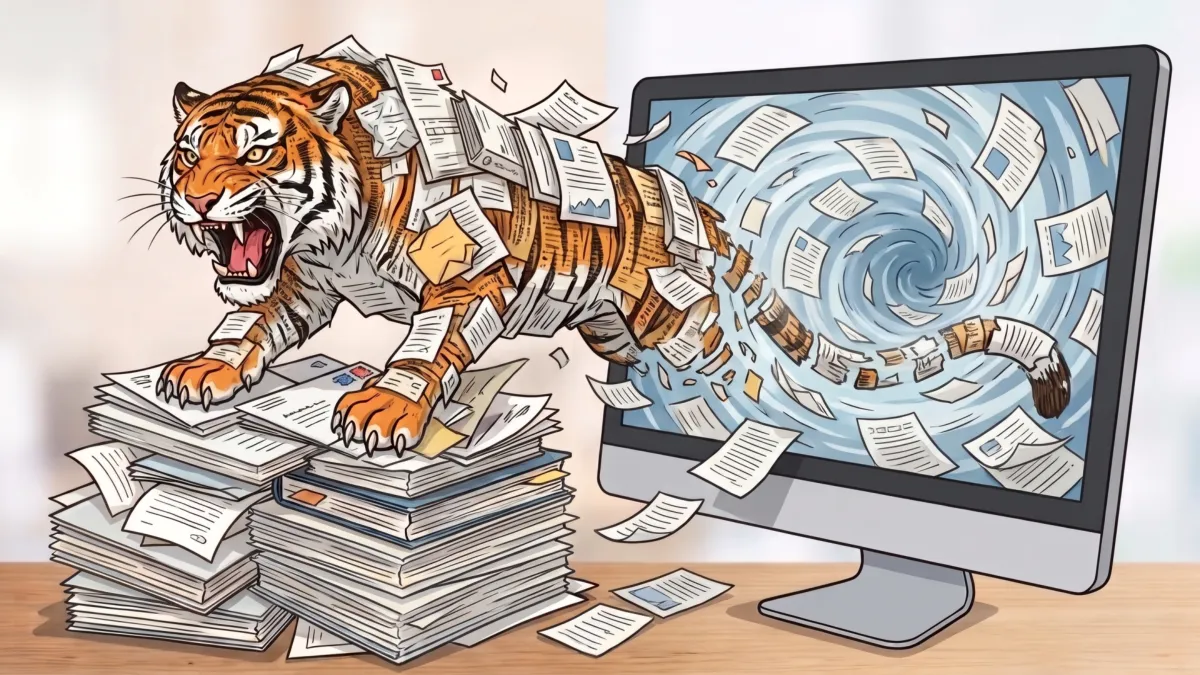
I have been testing our new Enoch File Scan & Save mobile app, which we are releasing to the public this quarter. It allows you to use your phone’s camera to scan a document, turn it into a PDF, and save it in a specific cabinet, drawer, and folder in Enoch File. (If you’d like to become a beta tester, use the Contact Us form to make a request, and we’ll set you up on iOS or Android.)
I used the mobile app to perform triage on the pile of documents weighing down the left-hand side of my desk. I went through the entire pile, tossing documents that I no longer needed—some of which were two years old—and scanning the rest into Enoch File. The app worked great, but what is more important was how much better I felt when my desk was clean.
If you are like me and have a tendency to use your inbox for storage or let things pile up longer than they should because you don’t have a fast, easy way to process them, then Enoch File can help. If the Paperwork Tiger has you on the run, Enoch File can help you get organized and fight back.
What does getting organized mean? To me it meant:
-
Being able to put my hands on a document without sorting through a pile of junk – physically or digitally
-
No more losing documents and asking someone to resend them
-
Cleaning off my desk and streamlining my email’s inbox
But those were the physical manifestations; there was also a degree of mental relief. Just knowing my desk was clear and I could start on a project without pushing something else out of the way made me happy. Getting a stack of mail no longer bothered me because I now had a process to deal with it. Can I promise you that using Enoch File and getting better organized will make your day easier and give you more free time? Well, I can’t promise it, but it wouldn’t surprise me if you see some real benefits from getting better organized.
Obviously, we all live different lives, have different responsibilities, and deal with different kinds of paperwork, but there are proven techniques that can work across a broad range of scenarios. In this post, I’m going to talk about how I use Enoch File and how you can harness it to tackle the Paperwork Tiger and get your digital life organized.
Solving the Biggest Challenge
We all get flooded with stuff. Emails. Attachments. Texts. Social media. News. Videos. The biggest challenge is how to separate the wheat from the chaff. What is important enough to keep, what is trash, and what do we do with the stuff that falls into the middle and we aren’t sure? The important stuff and the junk are easy to spot. It’s that middle ground, the stuff you aren’t sure about, that can be tricky.
My answer is to err on the side of caution. If you aren’t sure, save it—just not forever. There are two ways to do this.
-
I add “Expires 2027” or an “Expires 2029” tag to a document of dubious long-term value. That way, in a year or two, I can search for all the files with that tag, review the titles or preview the contents, and decide what to save, delete, or archive.
-
Another approach is to open a drawer or folder called Short-Term Stuff 2026 and dump the questionable items in there. If you choose this option, a few months into 2027, you can delete the contents or move this drawer to the archive. Documents in the archive will be there if you need them, but they won’t be a distraction or clutter up your files.
The Important Stuff
No two people—even spouses—will have the same idea of what is an important document. Use your best judgment and don’t worry if what you save doesn’t match what someone else saves. Enoch File is flexible by design. You can have as many or as few cabinets and drawers as you want, and you can name them whatever makes sense to you. This is your subscription, so set it up your way.
That said, there are some categories of paperwork that come up again and again. During our testing, we identified fourteen and built them into the onboarding process. Pick the ones you want, but know premium subscribers can delete, rename, and add more whenever they want.
Below are the top things our experience tells us you should save. Whether you store them in one cabinet or give things like family, taxes, or financial matters their own cabinet is up to you. In general, if you think a category will have lots of documents, a drawer is fine. If you think a category will have lots of sub-categories, it deserves its own cabinet.
Household Information
Start this file with rental agreements, mortgages, and other information related directly to your housing. If you want to keep a duplicate of your homeowners insurance policy in this file, Enoch File will let you copy it from the insurance drawer. When I buy appliances, fix the HVAC, hire a plumber, paint a room, buy a rug, and do other home improvement things, I file copies away in this cabinet as well. You should do the same.
If you are buying a new home, keep a copy of all your paperwork in a folder. If interest rates drop and you want to refinance, having a copy of your survey, the prior appraisal, and other information from the initial purchase at your fingertips will make this process easier. And when you sell the property, your new realtor will find those documents useful as well.
Of course, household information can go beyond items specifically related to your home. You can use your imagination here. But if you plan to add lots of topics, it might be better to make Household or House and Home a cabinet instead of a drawer under the main cabinet.
Family Info
If you have a spouse, children, aging parents, or anyone else for whom you are responsible, set up a drawer for them. You can put anything in there, from photos to ideas for their next Christmas present.
Kids are always bringing home things they did in school, from art projects to test results and report cards. Sure, you can stick them on the refrigerator door, but what happens next? Scan them or snap a photo and store it in Enoch File. They will be there as long as you want them to be there, or until you need to embarrass them at their graduation or wedding.
Insurance Paperwork
For example, if you have homeowner’s or renter’s insurance, you are going to want to have a copy of that policy in case you need to file a claim. Same for life and health insurance. And if there is a contested claim, be sure to keep copies of all the correspondence and related paperwork. In most cases, these can be safely stored in Enoch File.
Estate Planning Documents
If you or another loved one have a will, trust, power of attorney, healthcare power of attorney, or similar documents, this is an example where you should hold on to the original, signed copy, and have a digital copy you can send via email. Check your state laws, but most courts prefer the original “wet-signed” will to be presented in court if someone dies.
Certificates
Another category where it is good to have both the original and a digital copy is of various certificates. These are the important papers that follow you throughout your life: birth certificate, marriage certificate, and death certificate. You’ll need your birth certificate if you apply for a passport, but you may also need copies of your children’s certificates when you sign them up for things.
I have recently dealt with the death of my father, so I know first-hand that while some banks want a certified copy of someone’s death certificate, other financial institutions will accept a PDF. I stored a copy in Enoch File so I could email it to them right from the app.
I include diplomas, separation agreements and divorce paperwork, legal settlements, and other signed or certified government or quasi-governmental documents in this category. I keep a hard copy in a fireproof safe and use a digital copy in Enoch File for day-to-day use.
Financial Info
I know you can access your bank records online and download copies of your retirement accounts for the past seven years, but that assumes you trust the system and don’t think hackers could attack those institutions or some future quantum computer could mess with your balance. I try to store bank statements at least quarterly, and I keep my financial institution’s Jan. 1 through Dec. 31 full-year report for every account. Not in hard copy, but in digital form. Call me paranoid, but it doesn’t take long to download those reports. This is another area where you can make up your own mind, but if you have a significant investment, consider the value of having your own copy of a document proving those funds are in your name.
Tax Data
Whether you have just a few tax forms or a slew of them, it’s a good idea to keep them for at least seven years after you have filed your taxes. You can archive them after three years, but retaining them for seven will cover you in most audit scenarios. The more complicated your taxes get, the greater the chance that you might get audited, in which case having a neat file of tax documents will be important. Plus, you may need a copy of your W2 to prove you are employed when you try to rent a home or apply for a mortgage. Having it available in an instant makes the process easier.
Vehicle Records
When was the last time you rotated the tires on your car? Did you change the transmission fluid at 30,000 miles, like the manufacturer recommends? How many years old is your battery? Enoch Knows, and you can look it up. Just drop into the Vehicles drawer, open the folder for the particular vehicle and type “rotate” or “battery” in the search bar. As long as you gave the document a good name or tagged it, the document you need should pop right up.
Medical Records
The same logic applies to your medical records; just as you need to know when the tires were rotated, you might need to know when Rick had his last tetanus shot or when you had your appendix removed. It’s also useful to have a list of what medications you or a loved one is on because doctors frequently ask. A list of your kid’s vaccinations is especially useful, as you often need to prove they were immunized to get into school, sign up for camp, and sometimes even to play sports.
Managing medical records is so important that we made a video about it—you can watch it at the end of this post.
You Get the Idea
There are plenty of other things I store, like info on our pet’s vet visits, retirement planning, hobbies, work-related documents, receipts, warranties, etc. You probably have different topics, so don’t hesitate to set up drawers and cabinets to fit your needs. Often, setting things up correctly in the beginning will help you stay organized so you can continue to enjoy the mental and emotional benefits of knowing all your documents are well organized.
I find the key is to give each kind of document its own home where I can add similar documents in the future. That way, things are easy to find. For example, when I need to find the warranty for the game console that failed after three months, I know to look under warranties, not hobbies. But if I can’t find it there, the global search functionality should turn it up when I search by brand name.
Avoid this Mistake
Using multiple cabinets, or at least multiple drawers and folders, is critical to organizing your data in a manageable way.
The worst thing you can do is to recreate that pile of paper that was on my desk by scanning 600 documents into a single drawer. Oh, the search functionality will help you find what you are looking for, but it will still be an unorganized mess, and over time, those 600 documents will grow to 6,000 or even to 16,000. That would be like having a stack of paperwork taller than I am!
To get the most out of Enoch File, you need to treat it the way an efficient secretary from the 1980s would maintain the row of metal cabinets along the hallway. Everything should have a home, and there should be a home for everything.
Enoch File lets you do that with the click of a button. No colored tabs to stick into hanging folders, no labels to type on the old IBM Selectric, and no marching down the hallway to find the cabinet that holds L through N. You can do everything that used to take hours in just seconds with a few clicks. Create a new cabinet from the utility menu; create a new drawer with the click of a button, and add a new folder on the fly. It’s quick, it’s easy, and you’ll be better organized than you thought possible. And with the new Enoch File Scan & Save mobile app, you’ll be able to capture and file documents on the fly, whether you are in your car or sitting in a coffee shop.
So relax. Take a deep breath. That Paperwork Tiger is a paper tiger.